All guides
Installing on Android
Installing FlClashX on Android: download the app, add your subscription, remove the battery restrictions.
Who it’s for: Android phone and tablet owners who already have a subscription
Go through the “Установить и настроить” wizard
In your account, open the subscription card and tap “Установить и настроить” (Install and set up). The wizard gives you the FlClashX link — about 117 MB, so use Wi-Fi. Android 7.0 or later is required.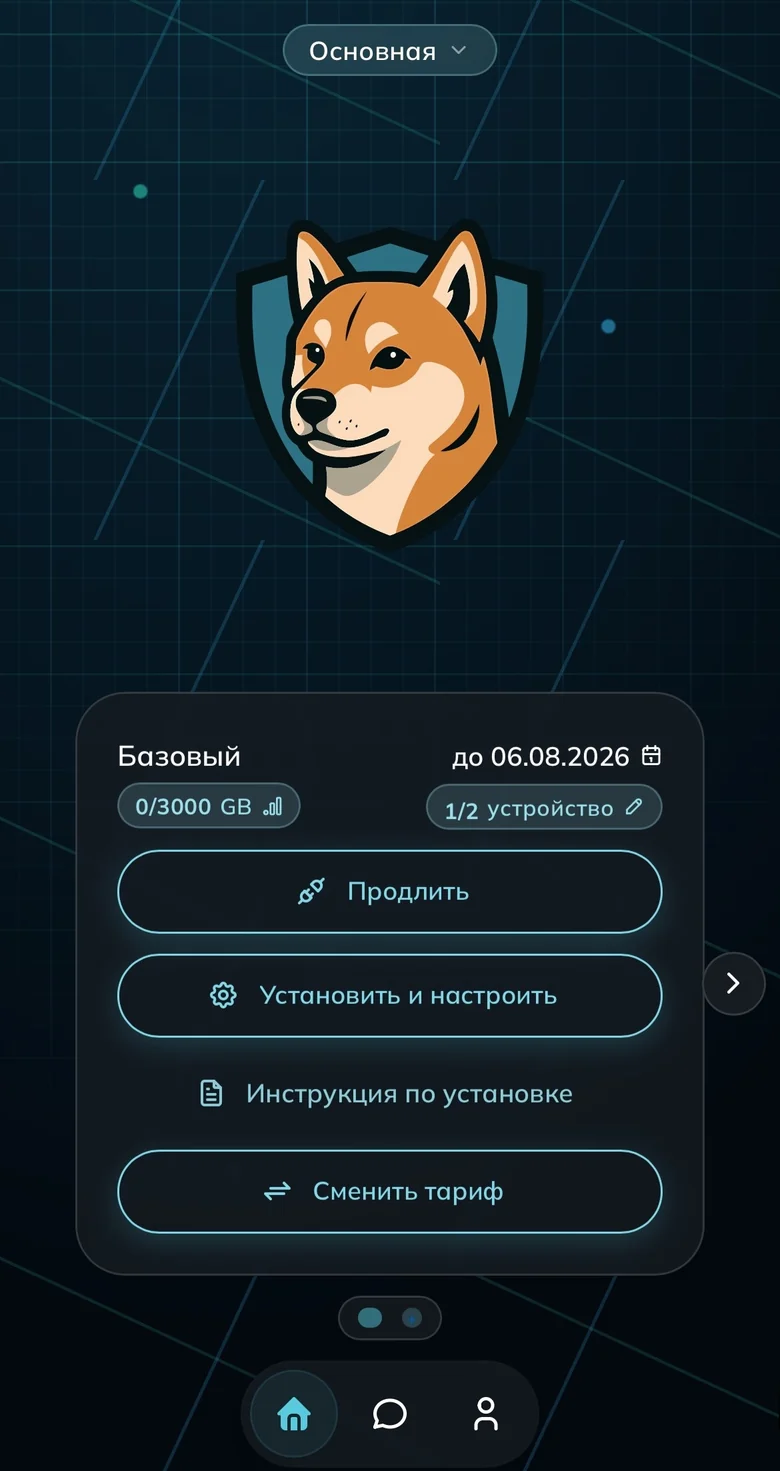
The “Установить и настроить” button on the subscription card 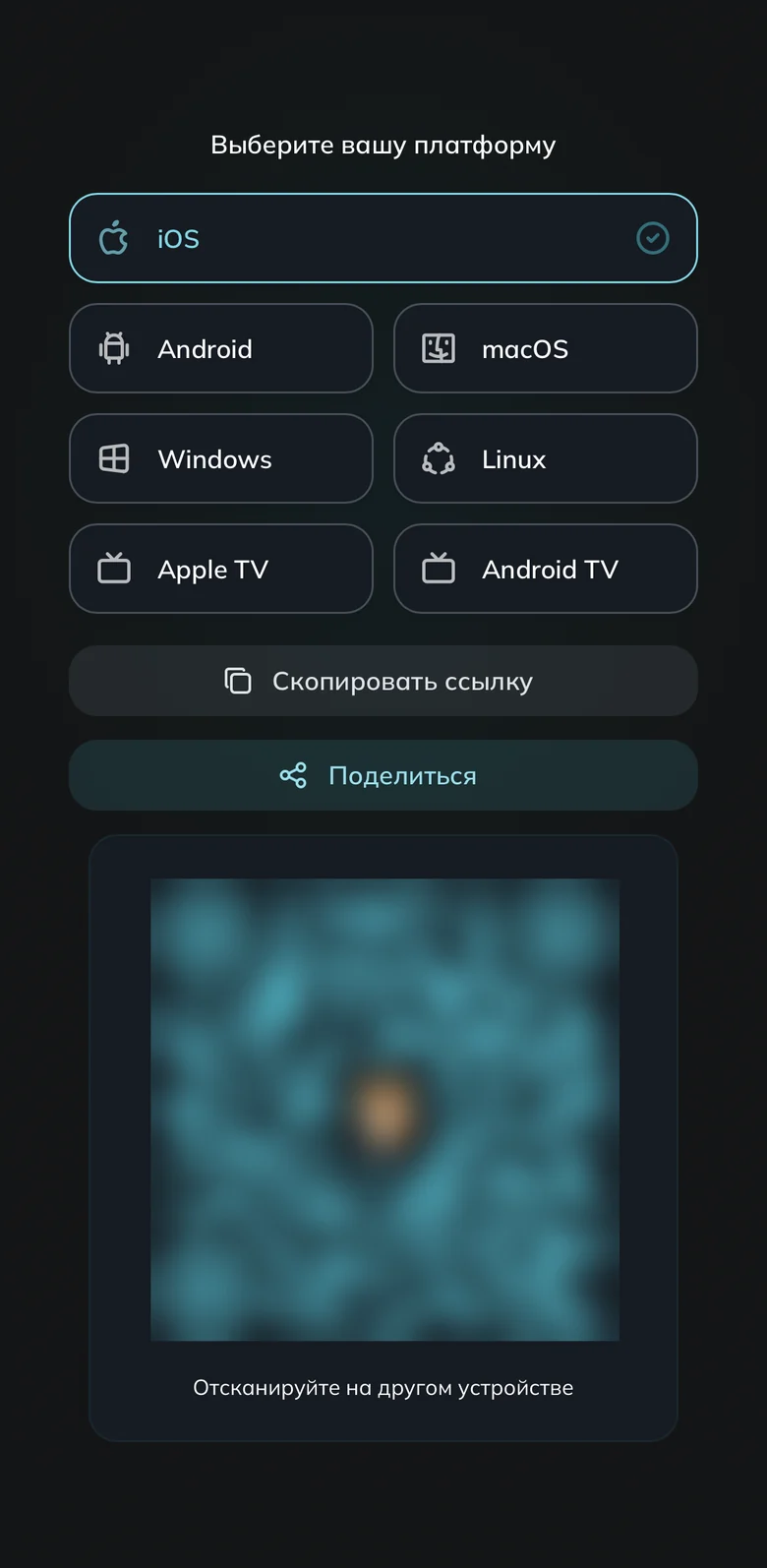
Pick the Android tile Allow the install and set up the app
Open the downloaded file and allow the install when the system asks. Play Protect may warn that the app is unfamiliar: continue, and leave Play Protect on. If the phone says “Приложение не установлено” (App not installed), remove the old version and install again.Return to the wizard and press “Добавить подписку”
In the wizard press “Добавить подписку”. If not: “Другое устройство” → “Скопировать ссылку”, then “Добавить из буфера обмена”. Spare devices are removed under “Устройства” (Devices). How to connect a second device.Turn the connection on and confirm the request
Open FlClashX, pick a country or the automatic group, and turn the connection on. Keep the mode on “Правила” (Rules). Android shows a system VPN request — confirm it (dismiss it and the tunnel will not start) and allow notifications.Remove the battery restrictions
Otherwise the connection drops overnight. In Android settings open FlClashX, battery usage, and choose Unrestricted (before Android 12, turn battery optimisation off). On Xiaomi enable autostart and the persistent notification; on Samsung remove it from sleeping apps and turn off auto-sleep for unused apps.
Done
Common questions
The servers are gone, or there are rows of zeroes instead
Refresh the subscription in the app: “Профили” (Profiles) → the three dots on the card → “Обновление” (Update), then switch the connection off and on. Rows of zeroes and “Приложение не поддерживается”: install FlClashX, delete the profile and add the subscription again.
FlClashX or Happ — which one should I install?
Install FlClashX. Happ and INCY are backup apps; their links are in the wizard and on the downloads page, and the subscription is the same.
Ready to join?
5
dayson us
Sign up and try UnderVPN on every device — no payment upfront.
- No card to start
30-second signup