All guides
Connect a second device
How to add your subscription on another phone, tablet or computer — by QR code or link.
Who it’s for: Your subscription already works and you want to add another device
One subscription covers all devices
Nothing extra to buy: the same subscription is added to your phone, computer and TV.
Open setup in your dashboard
On the dashboard, tap “Установить и настроить” (Install & set up) on the subscription card.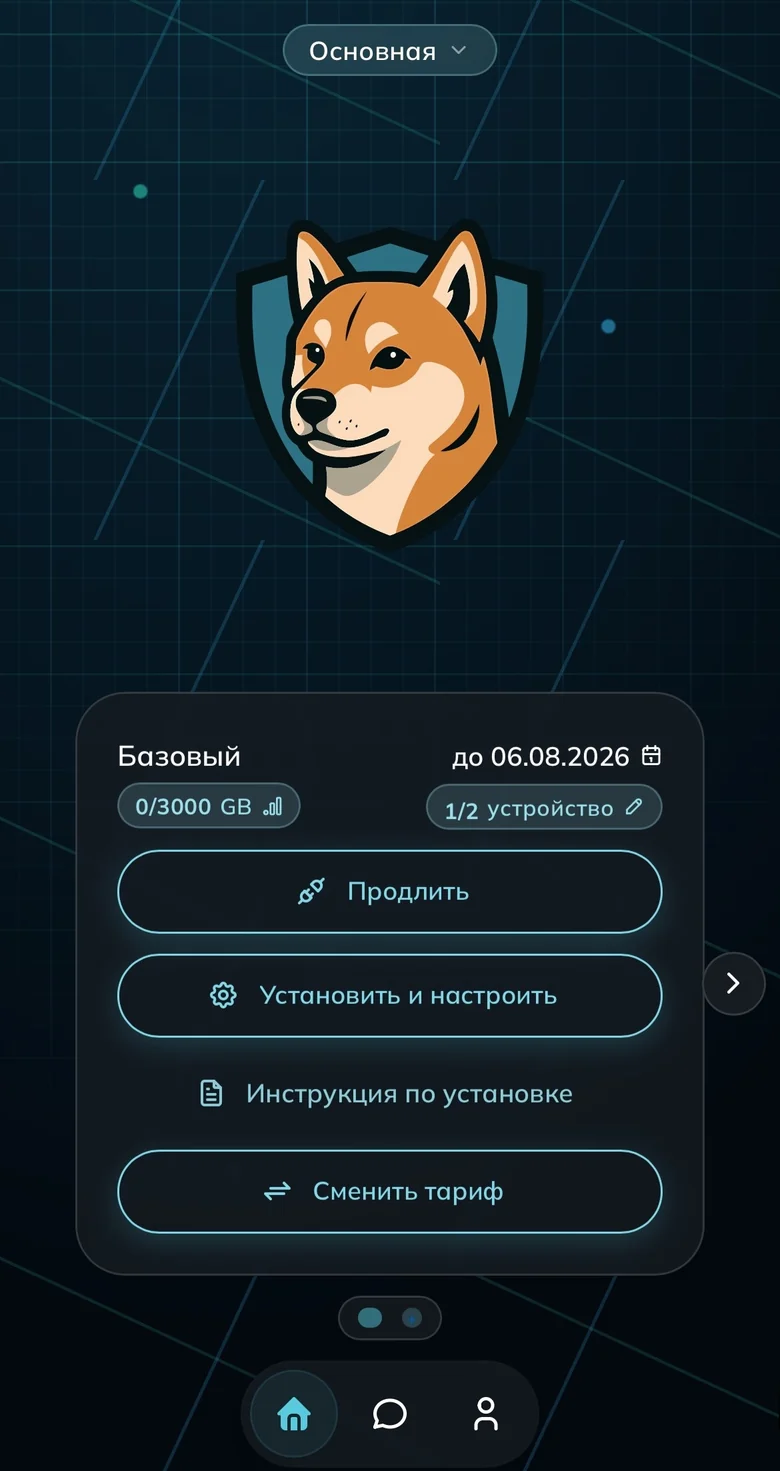
The subscription card on the dashboard Tap “Другое устройство”
By default the wizard sets up the device you opened it on. To connect a different one, tap “Другое устройство” (Another device).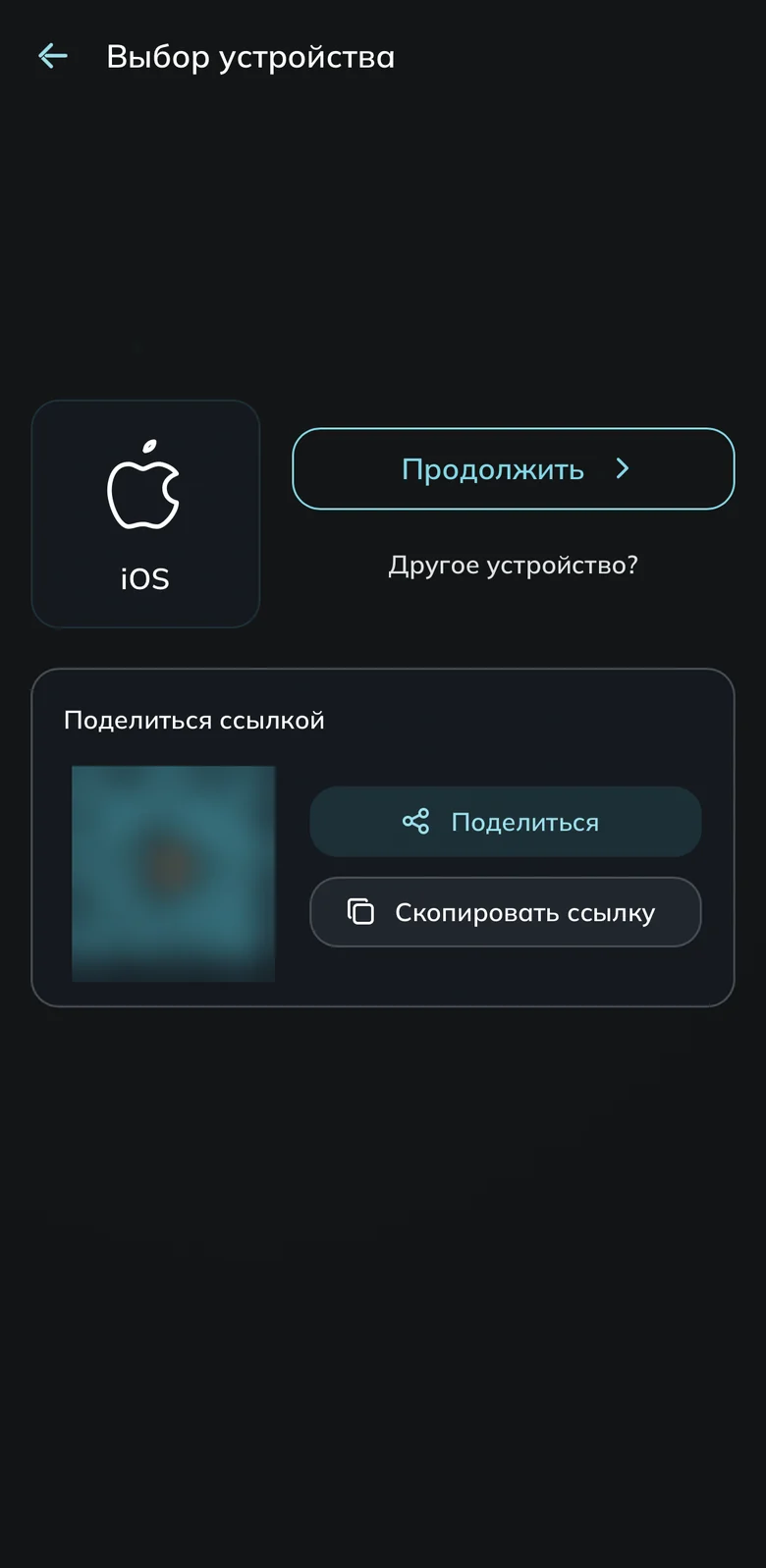
The wizard detected the current device Pick the new device’s platform
Choose the system of the device you’re setting up, not the one you’re looking at. Setting up a laptop from your phone? Pick Windows or macOS.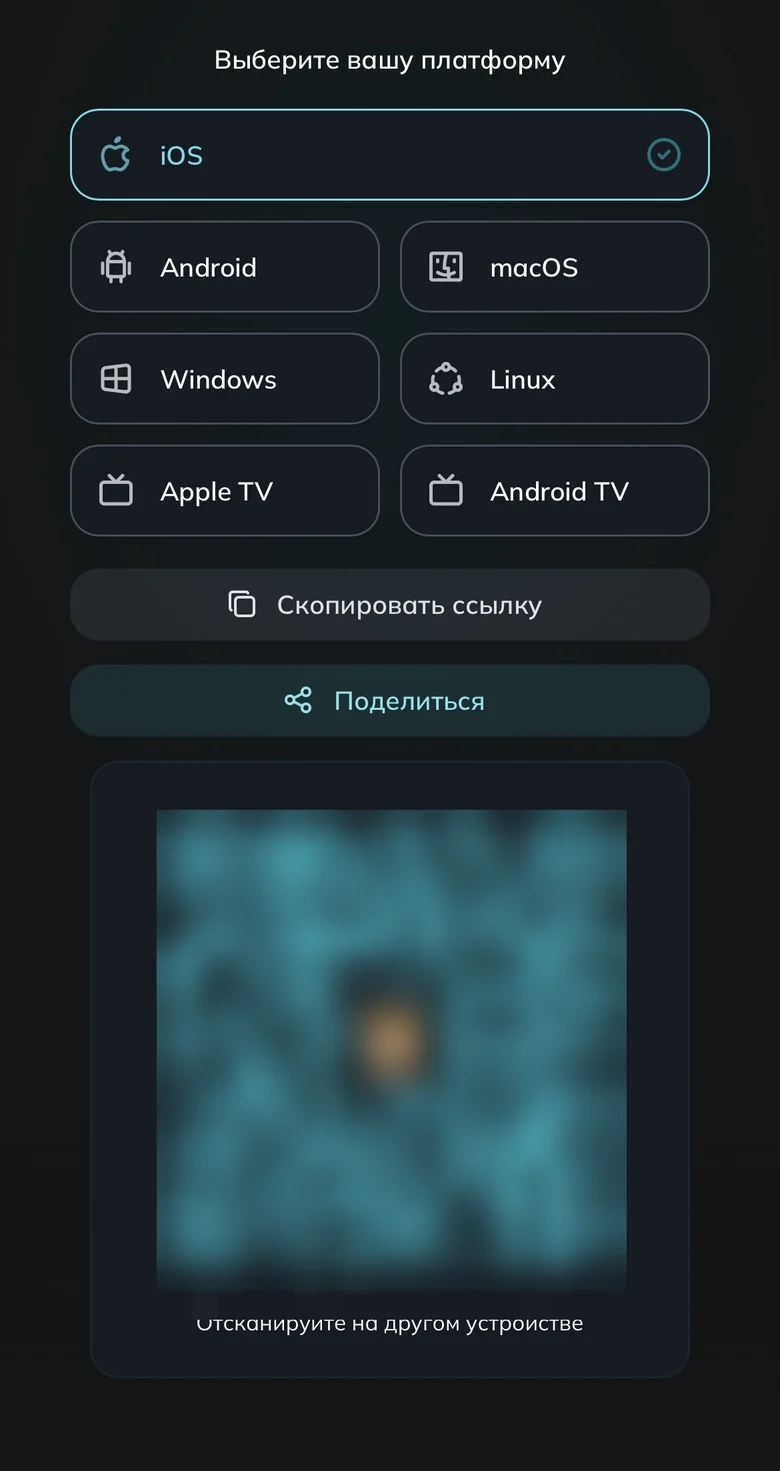
Platform picker and subscription QR code Add the subscription on the new device
By QR: open the camera on the new device and point it at the code at the bottom of the screen.
By link: tap “Скопировать ссылку” (Copy link) and paste it into the app on the new device.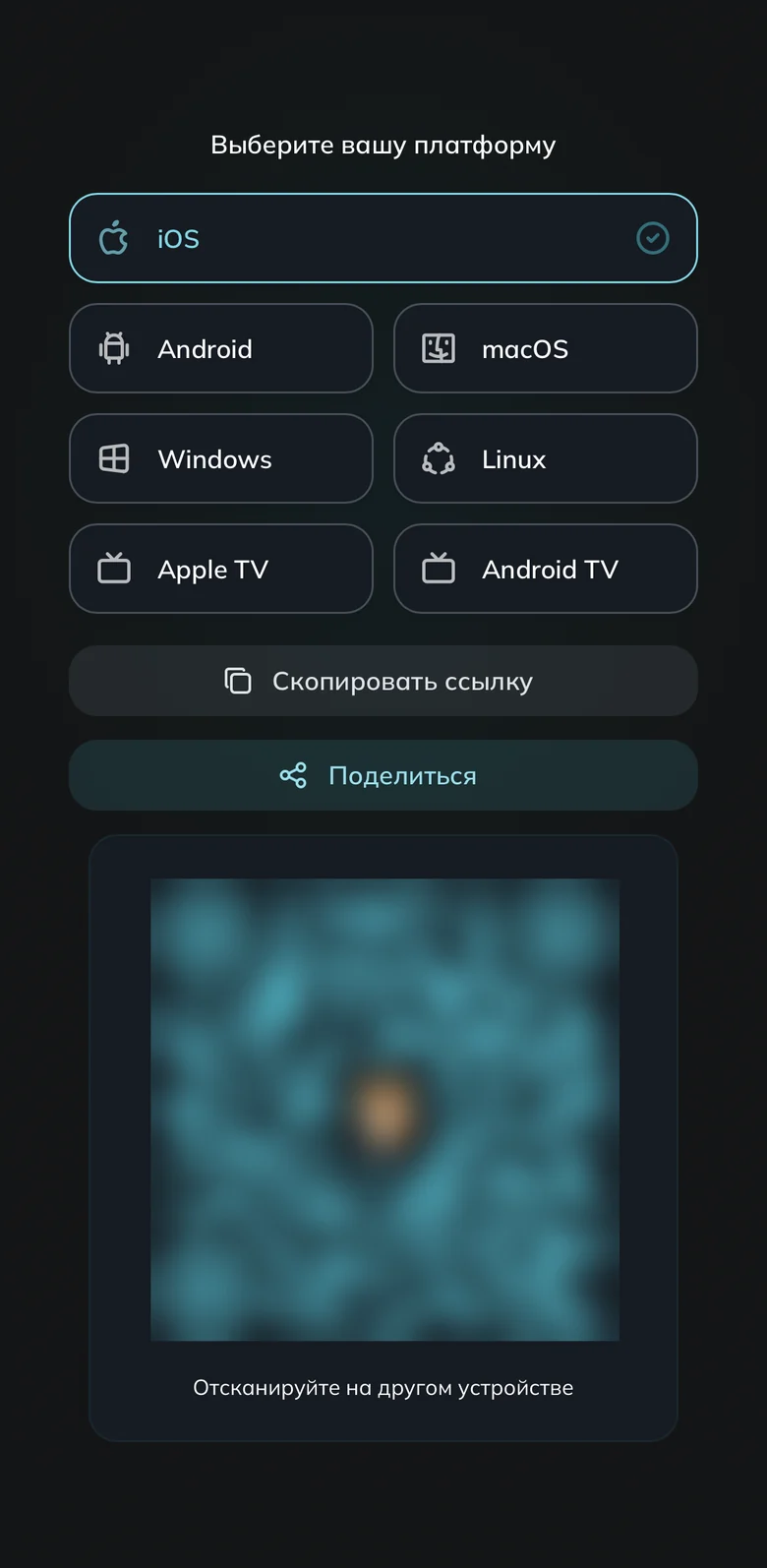
QR code and the copy button Install the app and connect
On the new device install the app for its system, add the subscription via link or QR, and turn the VPN on. Your first device keeps working exactly as before.Out of device slots? Add more
Each app takes its own slot. Remove the ones you no longer use in the dashboard, section “Устройства” (Devices). Need more — raise just the slot count with the slider, no need to change the plan.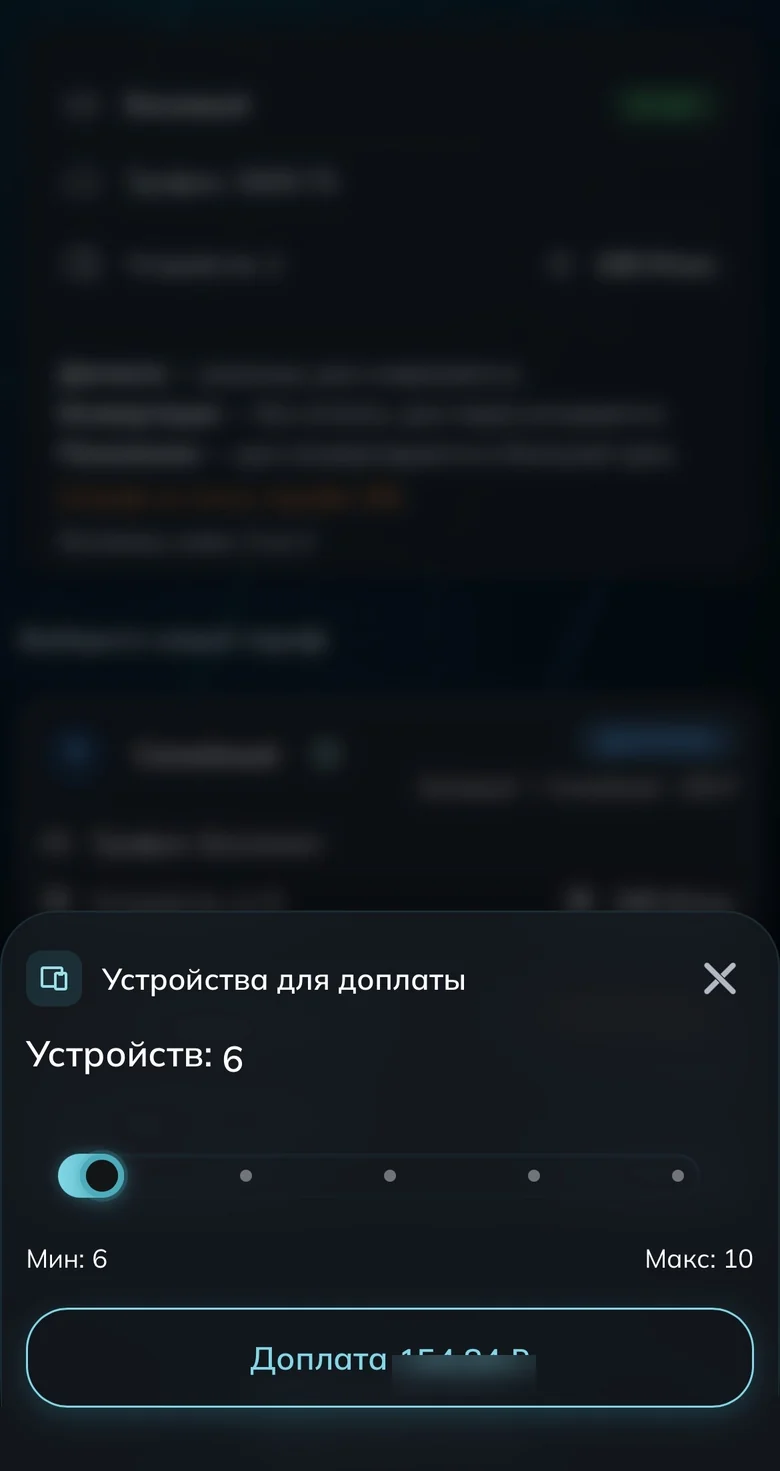
The device-count slider
Done
Common questions
How many devices can I connect?
It depends on your plan — the limit is shown on the subscription card. If you need more, you can add device slots without changing the plan.
The link won’t open on the new device
Make sure the app is installed and has been launched at least once — otherwise the system has nothing to open the link with. If that doesn’t help, copy the link and add it manually in the app with +.
Ready to join?
5
dayson us
Sign up and try UnderVPN on every device — no payment upfront.
- No card to start
30-second signup